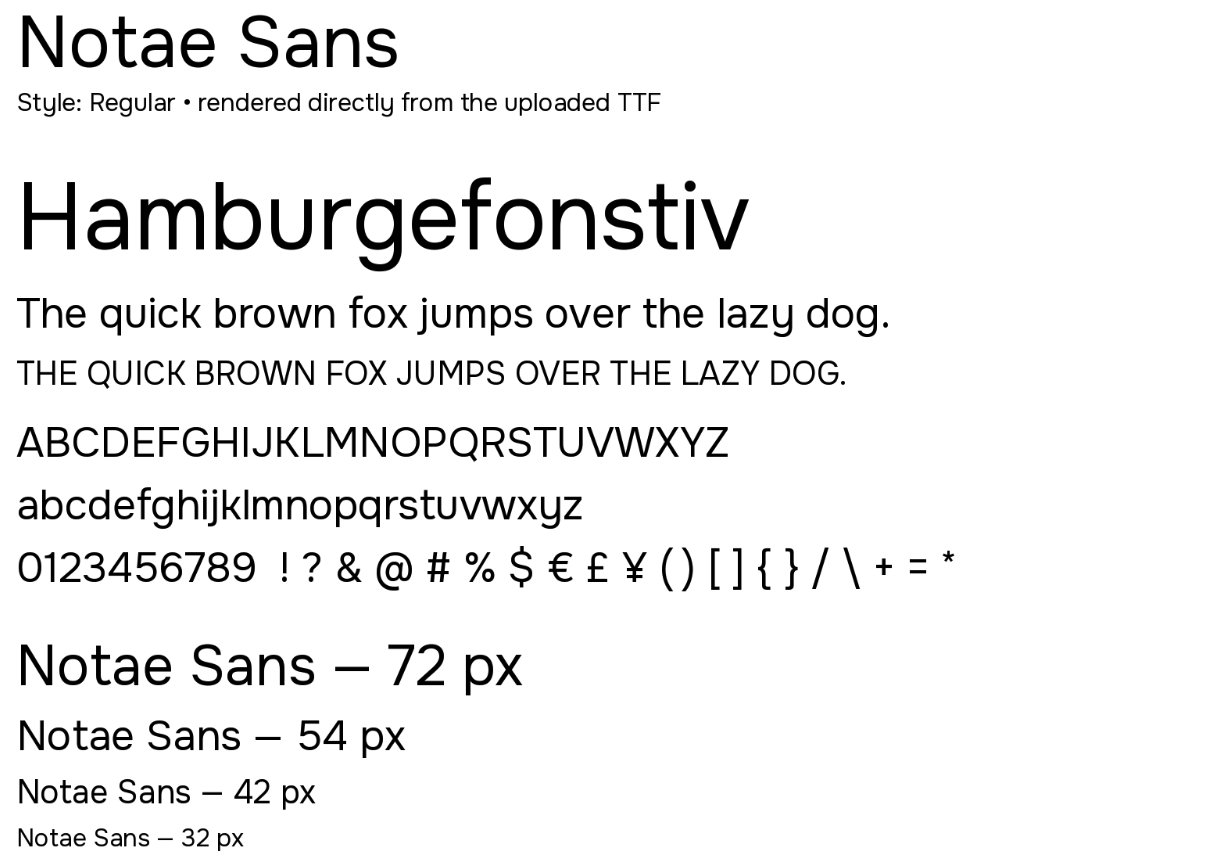
I recently decided that I wanted to build my own font — a form of personalisation for my writing and apps.
So, with the help of the alien life form on my desk (ChatGPT), I set out to work out what I wanted.
What is grotesque?
My first decision was to build a grotesque font style.
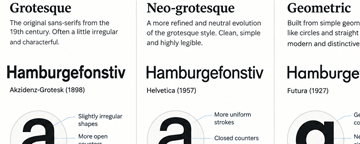
What is a grotesque font? It is not nearly as ugly as the name sounds. Grotesque is an early form of sans serif typography. When sans serif typefaces were first popularised in the early 19th century, most fonts were serif faces — the kind with small finishing strokes that aid readability. The name came from the reaction to those sans serif typefaces, which looked strange and unconventional compared with the serif faces people were used to at the time.
The style is defined by even-width, uniform strokes, plain construction, and occasionally awkward or unusual curves. The result is a typeface with a little more character.
Further decisions
My next decisions were to ensure that the typeface, while carrying some personality, did not distract from the text and was easy to read.
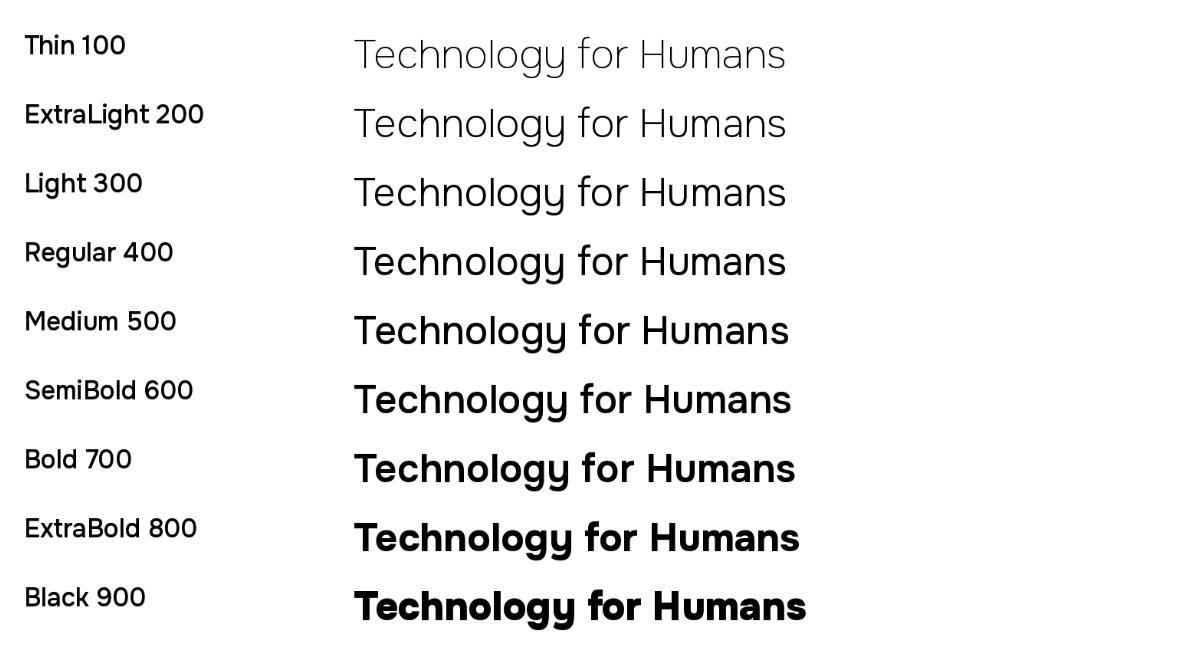
The font set also had to contain a full set of characters, including upper and lower case, glyphs, and other typographical elements. Finally, it was important to me that there was a wide range of native weights and italic sets. This way I could use the font for body text and headings without it looking jarring.
Completing the font
I went through all of this with GPT 5.6, including reviewing some open-source examples of what I was looking for. I suggested particular elements that were important to me, such as the style of the character “a” and the ampersand. After a little back and forth, I had a font installed on my local computer and available in my applications. I also installed it in a couple of applications I was working on, including my business website.
The process was quite easy, and once it was done I did not adjust or tinker with it — proof, I guess, that the original plan for something readable, unique, but not distracting was achieved.